

- 0 Saved
- 0 Views
- 0 Videos
- Introduction:
- Free online AI voice changer for switching voices and languages
- Added on:
- Nov 2, 2026
- Website:
- voicechanger.video
- Company:
- voicechanger.video
Featured Tools
Introduction
Description shown in its original language (English).
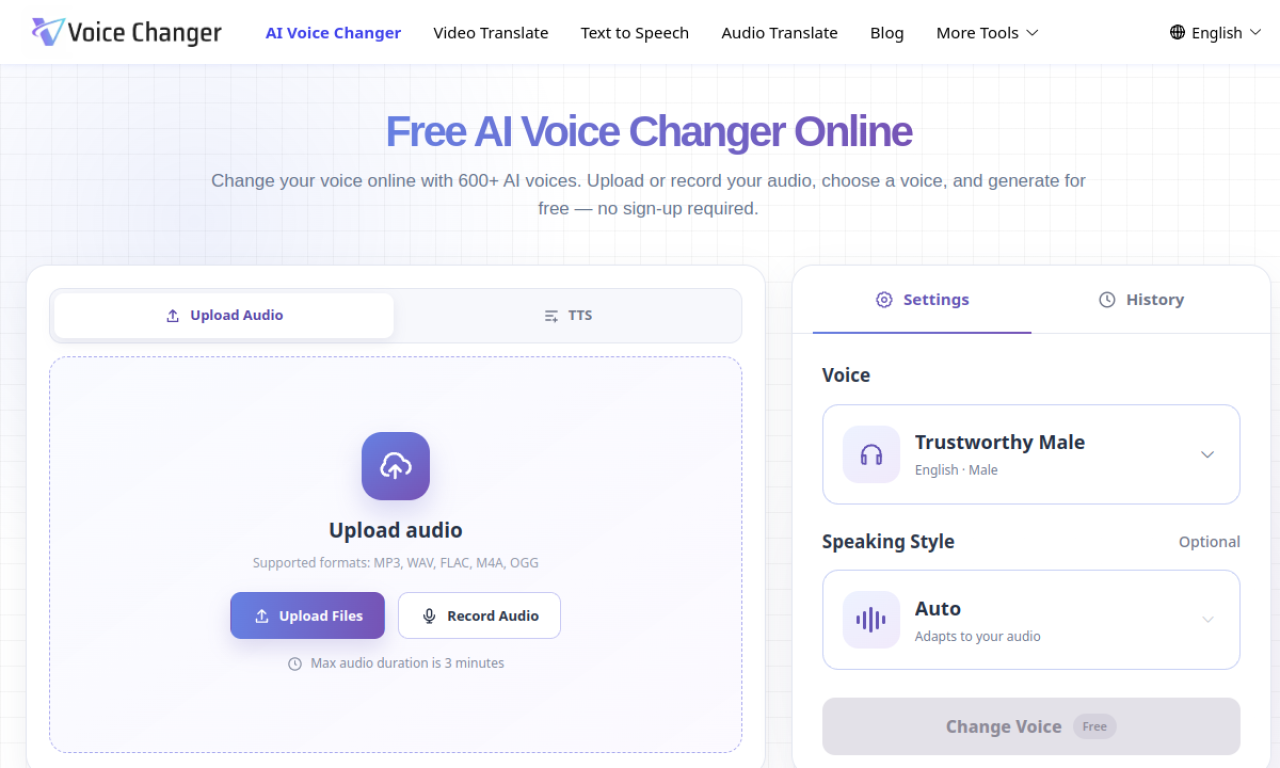
Voice Changer is a free web tool that converts voices with AI, offering over 100 voice options and support for more than 20 languages. You can adjust pitch, speed, and tone, then preview and download the result. It suits content creators, localization teams, and game developers.
- Added on
- Nov 2, 2026
- Website
- voicechanger.video
- Pricing model
- Free
- Company
- voicechanger.video
Product information
What is Voice Changer?
Voice Changer is a web-based AI tool for transforming voice and language in audio.
Core features of Voice Changer
- AI voice transformation
- 100+ voice options
- 20+ languages
- Adjustable pitch, speed, and tone
- Multi-voice conversations
Use cases of Voice Changer
- 1Content creation for video and podcasts
- 2Localizing videos for global audiences
- 3Character voiceovers for animation and games
How to use Voice Changer?
Upload text or audio, choose a voice from the library, adjust pitch, speed, and tone, then preview and download the output.
Frequently asked questions about Voice Changer
What is Voice Changer?+
Voice Changer is a free online AI tool that changes voice and language, with a large voice library.
How do I use Voice Changer?+
Upload your text or audio, choose a voice, adjust the settings, then preview and download the file.
Is there a Voice Changer mobile app?+
Voice Changer is web-based for now. Native iOS and Android apps are said to be in development.
Which category is Voice Changer in?+
Voice Changer is listed under AI Dubbing & Subtitles.
Voice Changer tags
ai voice changerai voice generatorai dubbingai voice overai text-to-speechGoodAI Badge Embed
Show your support for Voice Changer
Add this badge to your website to show that Voice Changer is featured on Good AI Life. Choose a light or dark version, then copy the embed code.
More badge options →