

- 0 Saved
- 0 Views
- 0 Videos
- Introduction:
- Animate a portrait photo so it speaks with lifelike lip-sync
- Added on:
- Nov 2, 2026
- Website:
- lipsync.video
- Company:
- lipsync.video
Featured Tools
Introduction
Description shown in its original language (English).
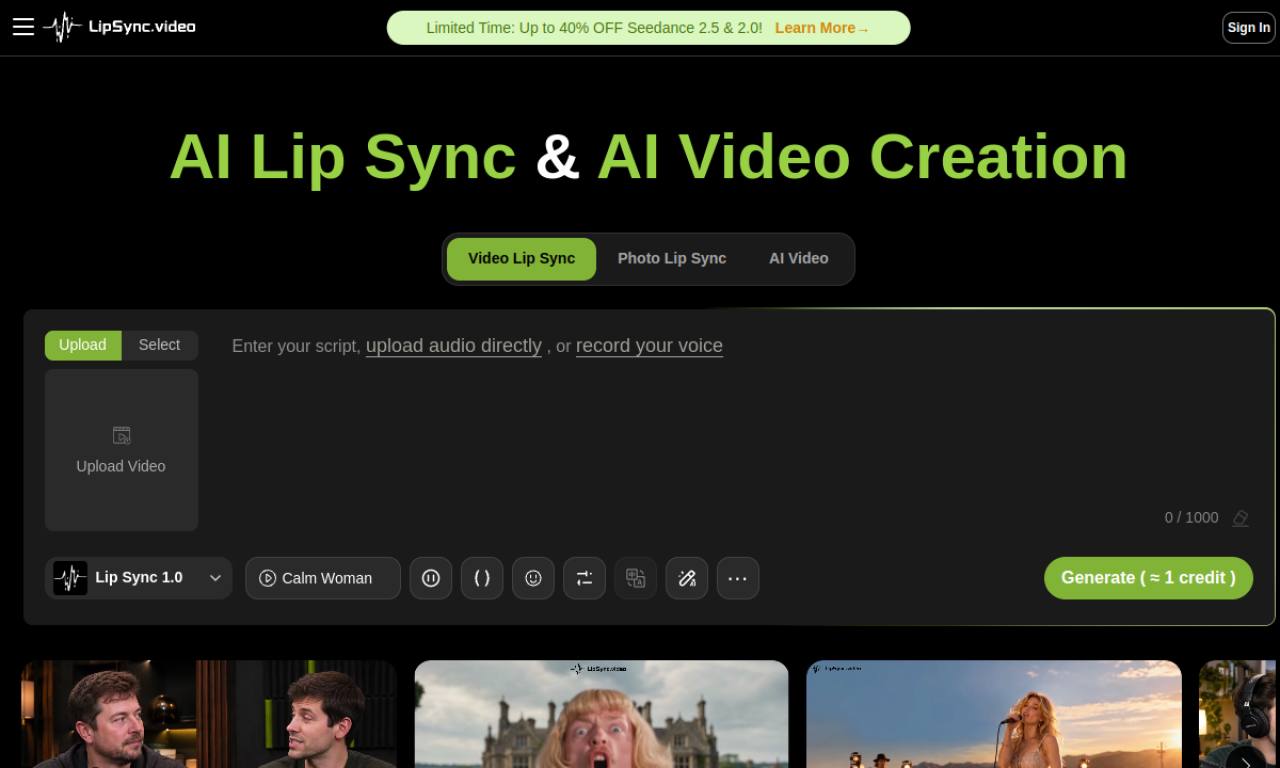
Talking Photo - LipSync animates a still portrait so it appears to speak. You can supply audio by typing text for speech, uploading a file, or recording your voice. The tool analyzes facial features and matches lip movements and expressions to the audio, with a choice of three LipSync models for different quality and speed.
- Added on
- Nov 2, 2026
- Website
- lipsync.video
- Pricing model
- Free Trial
- Company
- lipsync.video
Product information
What is Talking Photo - LipSync?
Talking Photo - LipSync is an AI tool that turns a still photo into a talking animation. It creates lip movements and facial expressions that follow the audio input.
Core features of Talking Photo - LipSync
- Turns photos into lifelike talking animations
- Lip-sync with LipSync 1.0, 2.0, and 3.0 models
- Audio from text-to-speech, upload, or recording
- AI voice selection and subtitle generation
- AI script and translate tools
Use cases of Talking Photo - LipSync
- 1Digital hosts and MCs for virtual events
- 2Talking photo instructors for e-learning
- 3Animated historical guides for museums and tourism
- 4Social media and marketing clips
- 5Bringing old family photos to life
How to use Talking Photo - LipSync?
Upload a clear front-facing portrait, add audio by text, upload, or recording, pick a LipSync model (1.0, 2.0, or 3.0), and generate. Preview the result and download it.
Frequently asked questions about Talking Photo - LipSync
What is Talking Photo - LipSync?+
Talking Photo - LipSync is an AI tool that animates a still photo so the person appears to speak, with lip movements synced to your audio.
What types of photos work best with Talking Photo - LipSync?+
Clear, front-facing portraits with good lighting and a closed or neutral mouth give the best results. Higher image quality generally produces better animation.
How long can Talking Photo - LipSync videos be?+
The tool accepts audio up to 90 seconds, so that is the maximum video length.
Which category is Talking Photo - LipSync in?+
Talking Photo - LipSync is listed under AI Avatar Video.
Talking Photo - LipSync tags
ai avatar generatorimage to videoai lip sync generatorai text-to-speechai animation generatorGoodAI Badge Embed
Show your support for Talking Photo - LipSync
Add this badge to your website to show that Talking Photo - LipSync is featured on Good AI Life. Choose a light or dark version, then copy the embed code.
More badge options →