

TurboDoc
Extract and organize invoice data with AI OCR, including invoices that arrive by Gmail.
Introduction
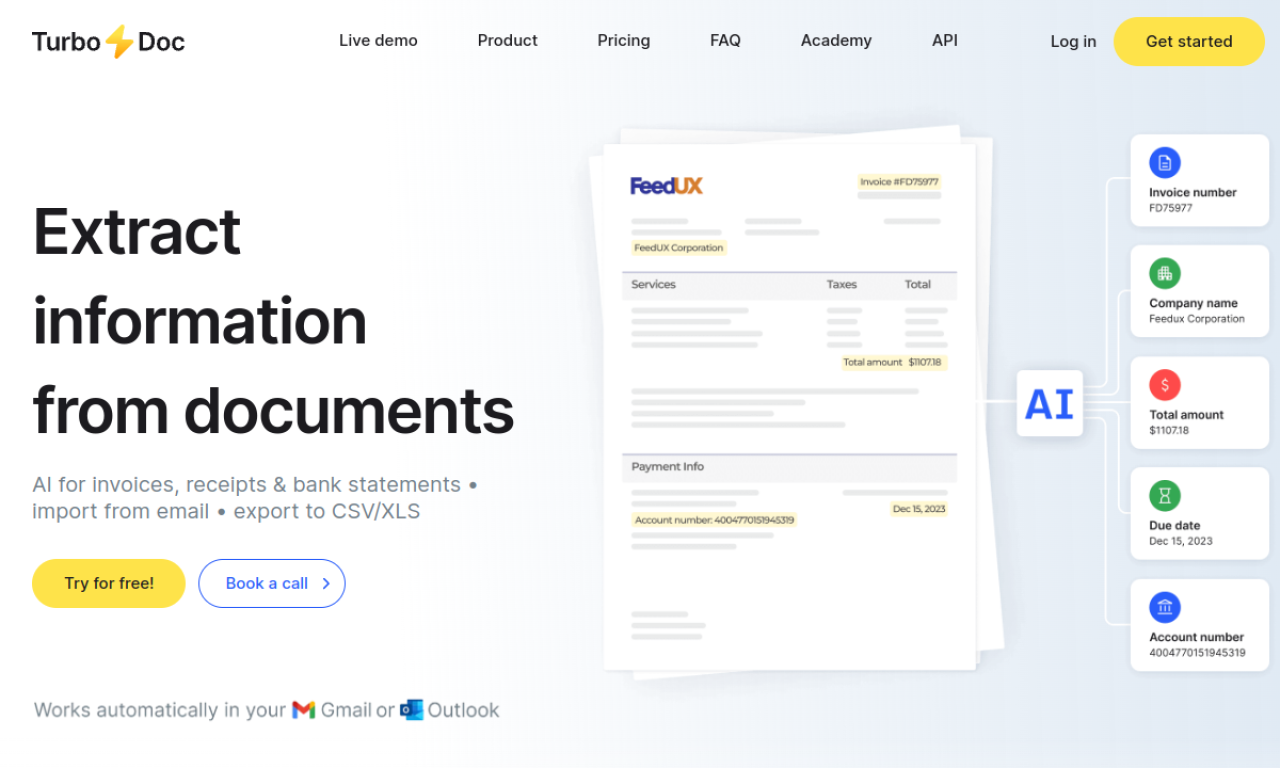
TurboDoc uses AI-based OCR to read invoices and receipts and pull out the key fields, reducing manual data entry. It accepts common image and PDF formats and can connect to Gmail to process incoming invoices automatically. The extracted data is stored in an organized registry, and a demo and free trial are available.
- Added on
- Nov 2, 2026
- Website
- turbodoc.io
- Pricing model
- Free Trial
Product information
What is TurboDoc?
TurboDoc is an invoice processing tool that uses AI OCR to convert unstructured invoices and receipts into structured data.
How to use TurboDoc?
Upload invoices in PDF, JPEG, PNG, WEBP, HEIC or TIFF format, and the AI extracts and organizes the data. Connect a Gmail account to process invoices that arrive by email.
Core features of TurboDoc
- AI OCR for invoice data extraction
- Automatic invoice import from Gmail
- Organized data registry
- Data encryption
Use cases of TurboDoc
- 1Automating accounts payable workflows
- 2Cutting down on invoice data entry
- 3Supporting budget planning and control
- 4Processing invoices in several languages
Frequently asked questions about TurboDoc
Can I try TurboDoc before signing up?+
Yes. The site offers a demo of invoice extraction, and a free trial account gives full access to the features.
Can TurboDoc handle low-quality invoice images?+
The site says its image processing handles varying quality, but clear, legible scans give the most accurate results.
Which languages does TurboDoc support?+
English, Spanish, German, French, Italian, Dutch, Portuguese and Catalan for the web service.
Which category is TurboDoc in?+
TurboDoc is listed under AI Accounting.